LTS Connect AppRemote viewing for LTS cameras, DVRs & NVRs
Download LTS Connect by LT Security to live view your cameras, play back recordings, get motion alerts and manage doorbells, intercoms and access control — from anywhere.
Inside the LTS Connect App
Real screens from the current release — live view, the device list, motion alerts and your account.
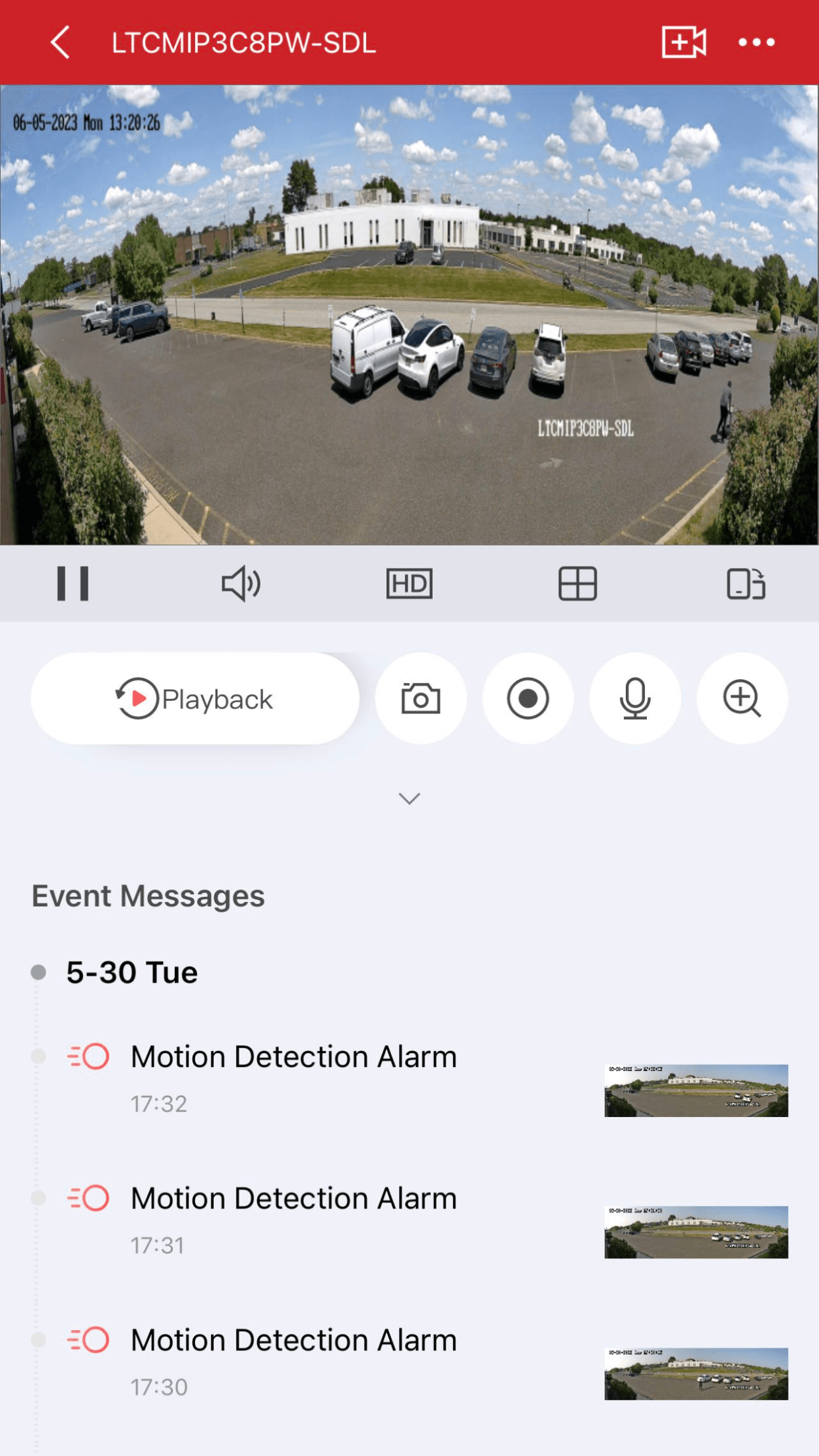
Live view from anywhere
Watch real-time video, capture snapshots, start recordings and talk back — with motion events listed right below the stream.
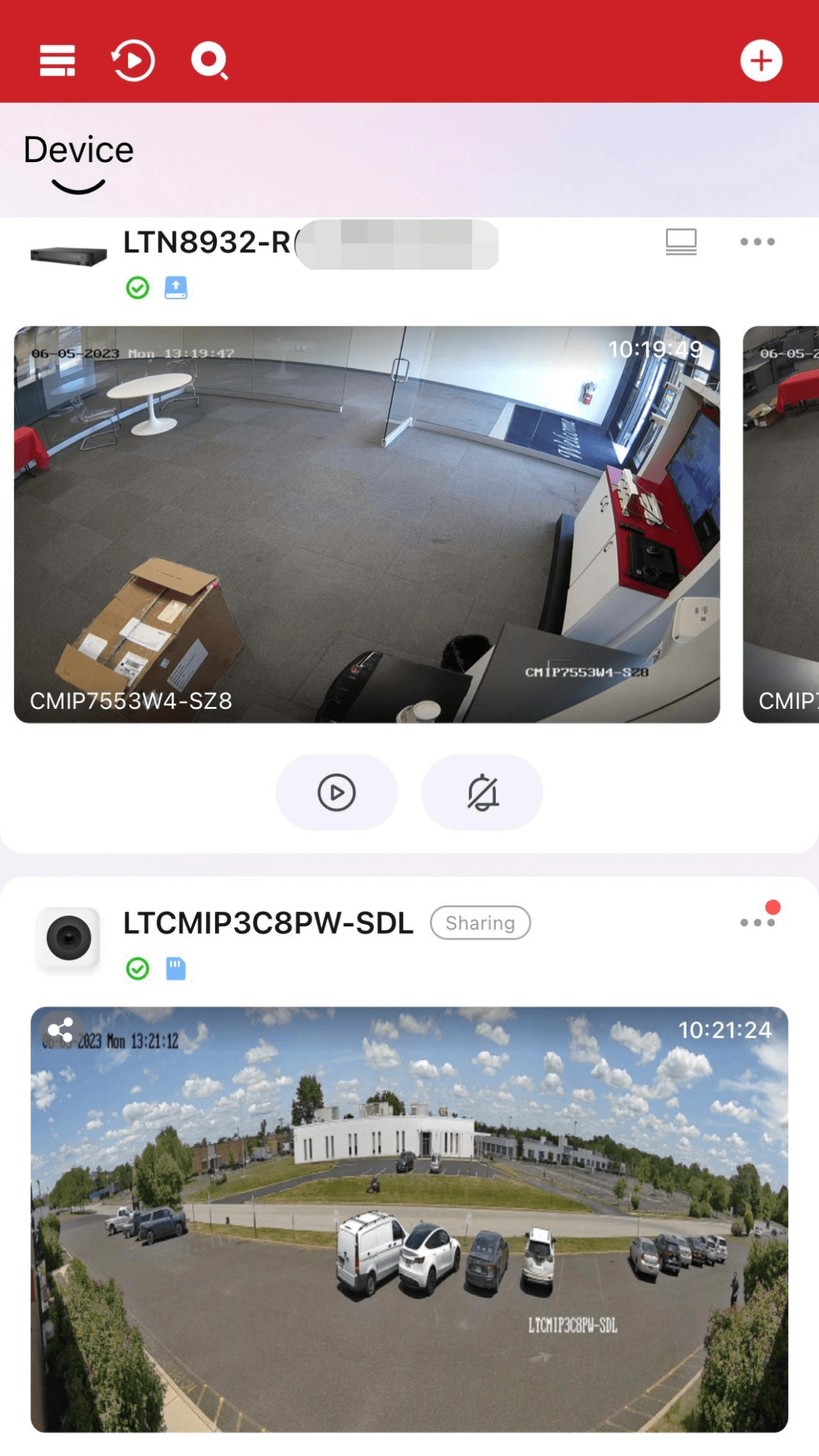
Every device in one list
NVR channels, IP cameras and shared devices side by side, each with a live thumbnail so you can spot activity at a glance.
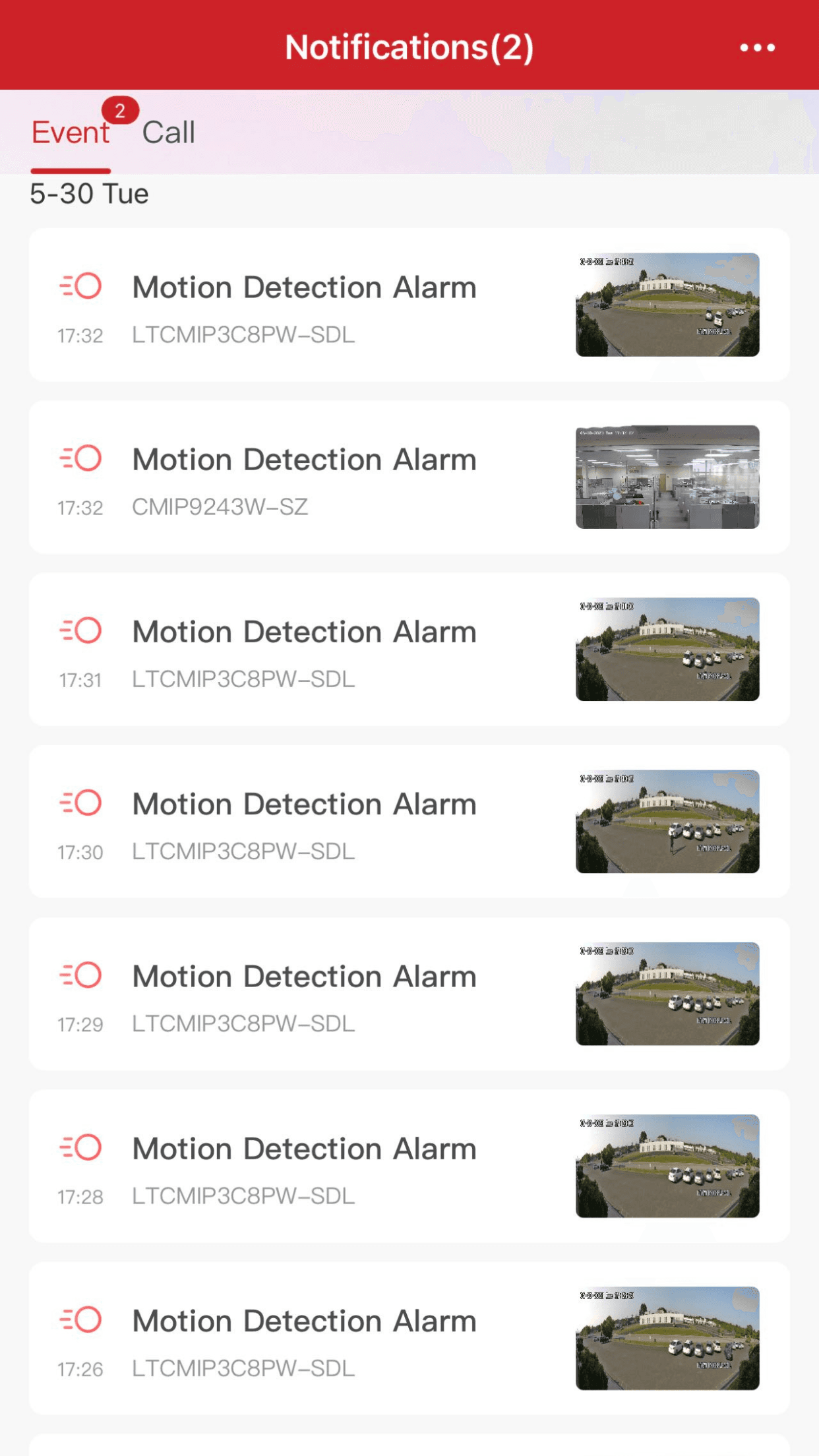
Instant motion alerts
Motion detection alarms arrive as push notifications with event thumbnails, sorted by camera and time.
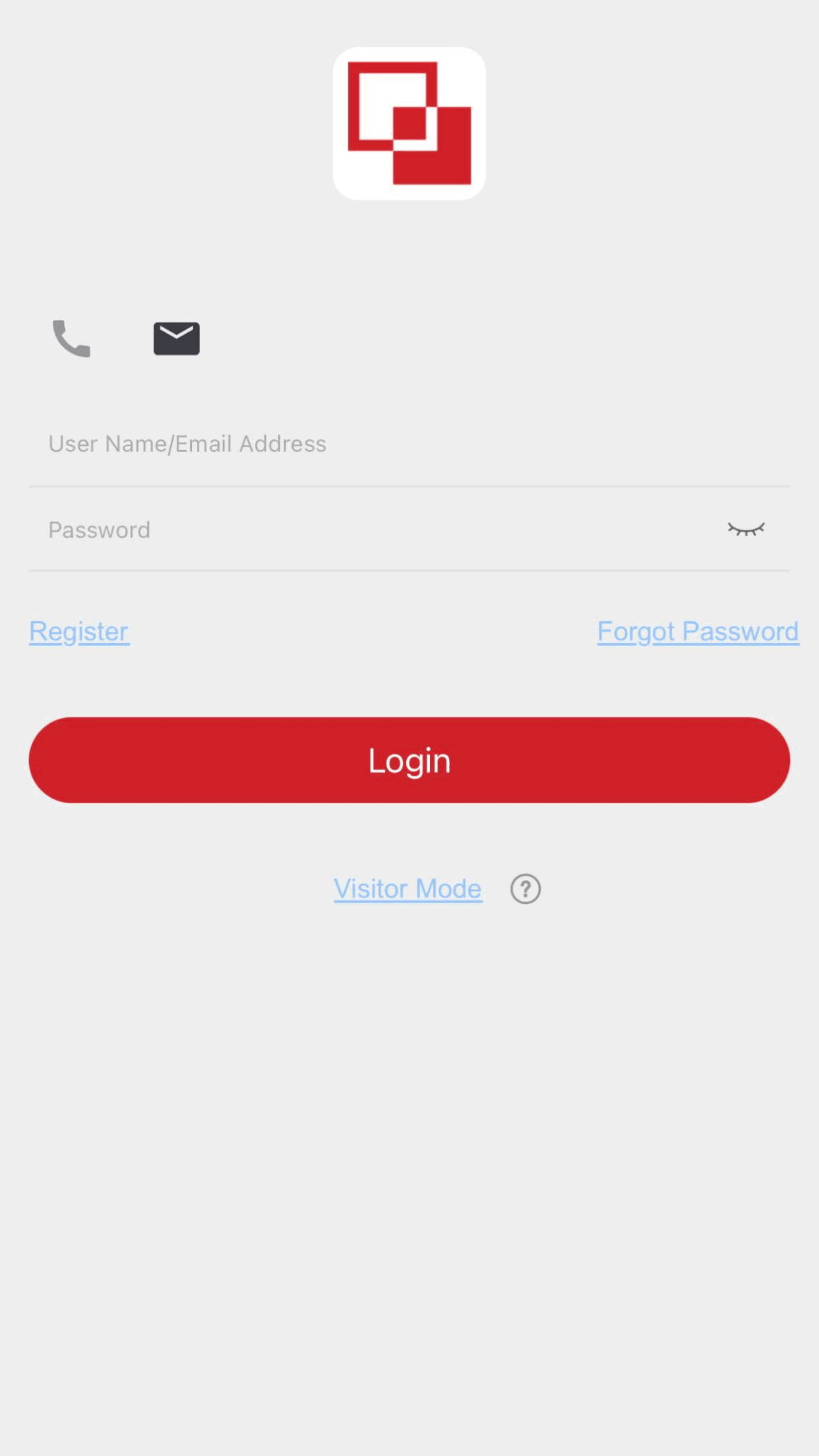
One secure account
Sign in with your PT Cloud account to keep every device, recording and alert in sync across phones and tablets.
LTS Connect App Features
Everything you need to run LTS security devices from your phone — built around PT Cloud so it works wherever you are.
Real-time live view
Stream every camera in HD, switch channels in one tap and watch multiple cameras side by side.
Search & video playback
Scrub recorded footage on a timeline, jump to events and export the clips that matter.
Motion detection alerts
Push notifications fire the moment motion is detected, with event thumbnails so you can triage instantly.
Doorbell & intercom
See, hear and speak to visitors at the door, check call logs and unlock remotely.
Access control
Manage compatible LTS access control devices alongside your cameras in the same app.
Device sharing
Share live view and playback with family or coworkers — intercom access for up to 4 extra users.
Download LTS Connect for Android & iOS
LTS Connect is free on both stores. Get it only from the official App Store or Google Play listing — there is no safe APK mirror.
App Store
- Version 6.10.881
- Updated Dec 11, 2025
- iOS 13.0 or later
Searching for an LTS Connect APK? Skip third-party mirrors — sideloaded builds miss updates and can be tampered with. The Google Play listing is the only download LT Security supports.
LTS Connect for PC, Mac & Windows
There is no official LTS Connect desktop app — LT Security covers computers with its NVMS client software instead. Here is what to install on each platform.
Windows 10 / 11
NVMS V3
The Platinum Series CMS client for Windows: multi-screen live view, playback and device management from the official downloads page.
macOS
NVMS7000 CMS
LT Security ships NVMS7000 as the Mac CMS client. It signs in to the same devices you use in LTS Connect.
Same PT Cloud account
One account everywhere
Desktop clients and the mobile app share your PT Cloud devices, so nothing needs to be re-added.
Both clients are free from the official LT Security downloads page. Official downloads
How to Set Up the LTS Connect App
From install to live view in about five minutes — the same flow works for cameras, DVRs, NVRs and doorbells.
Download & create an account
Install LTS Connect from the App Store or Google Play, then register a PT Cloud account. Allow notifications when prompted — alerts depend on it.
Enable PT Cloud on your device
On the DVR, NVR or camera, open Network settings and switch on PT Cloud (Platform Access) so it can reach your account.
Scan the QR code
Tap “+” in the app and scan the QR code on the device label or NVR screen. Manual entry by serial number also works.
Live view & alerts anywhere
Your cameras appear in the device list — open live view, check playback and let motion alerts find you.
Fix Common LTS Connect Problems
Straight answers for the issues users actually search for — written from real setups, not marketing pages.
What Users Say About LTS Connect
Adapted from public App Store and Google Play reviews of LTS Connect.

I check my shop cameras from home every night. Live view loads fast and the motion alerts are instant.

Setup was easier than I expected — scanned the QR code on the NVR and all eight cameras showed up.

Managing cameras at three properties from one phone. Sharing access with my maintenance guy took a minute.

I put customers on LTS Connect after the NVMS7000 migration. PT Cloud connections are noticeably quicker.
I check my shop cameras from home every night. Live view loads fast and the motion alerts are instant.
Setup was easier than I expected — scanned the QR code on the NVR and all eight cameras showed up.
Managing cameras at three properties from one phone. Sharing access with my maintenance guy took a minute.
I put customers on LTS Connect after the NVMS7000 migration. PT Cloud connections are noticeably quicker.
I check my shop cameras from home every night. Live view loads fast and the motion alerts are instant.
Setup was easier than I expected — scanned the QR code on the NVR and all eight cameras showed up.
Managing cameras at three properties from one phone. Sharing access with my maintenance guy took a minute.
I put customers on LTS Connect after the NVMS7000 migration. PT Cloud connections are noticeably quicker.
I check my shop cameras from home every night. Live view loads fast and the motion alerts are instant.
Setup was easier than I expected — scanned the QR code on the NVR and all eight cameras showed up.
Managing cameras at three properties from one phone. Sharing access with my maintenance guy took a minute.
I put customers on LTS Connect after the NVMS7000 migration. PT Cloud connections are noticeably quicker.

Playback search saved us after a break-in attempt — found the clip, exported it and sent it to police the same hour.

The doorbell integration is the best part. I answer the door from work and the two-way audio is clear.

Alerts with snapshots mean I can ignore the false alarms and act on the real ones.

Checking a property two states away. Once PT Cloud was enabled it has stayed connected for months.
Playback search saved us after a break-in attempt — found the clip, exported it and sent it to police the same hour.
The doorbell integration is the best part. I answer the door from work and the two-way audio is clear.
Alerts with snapshots mean I can ignore the false alarms and act on the real ones.
Checking a property two states away. Once PT Cloud was enabled it has stayed connected for months.
Playback search saved us after a break-in attempt — found the clip, exported it and sent it to police the same hour.
The doorbell integration is the best part. I answer the door from work and the two-way audio is clear.
Alerts with snapshots mean I can ignore the false alarms and act on the real ones.
Checking a property two states away. Once PT Cloud was enabled it has stayed connected for months.
Playback search saved us after a break-in attempt — found the clip, exported it and sent it to police the same hour.
The doorbell integration is the best part. I answer the door from work and the two-way audio is clear.
Alerts with snapshots mean I can ignore the false alarms and act on the real ones.
Checking a property two states away. Once PT Cloud was enabled it has stayed connected for months.
LTS Connect FAQ
Quick answers to the questions people ask most about the LTS Connect app.

Put Your LTS Cameras in Your Pocket
Free on iOS and Android. Set up in minutes with PT Cloud — live view, playback and alerts wherever you go.
Free download · No subscription required
 Scan for App Store
 Scan for Google Play